
Need speed when turning JPGs into PNGs? Try an online converter at no cost – swaps formats quick, zero downloads needed. Designers, bloggers, students, even site owners benefit from this shift. Quality often jumps up, transparency becomes possible. Switching file types suddenly feels light, almost effortless. No extra tools crowd your machine. Just upload, transform, grab the result.
Picture this. Different image types exist for different needs – JPG and PNG being two common ones. File size might shrink importance when clarity takes priority. Web-based converters usually handle the shift from JPG over to PNG. These converters make the shift quick without needing software. A clearer image with support for transparent backgrounds is one reason folks choose PNG. Each format has its place depending on where it gets used.
Understanding JPG Files?
Picture files named JPG – sometimes called JPEG – are everywhere on the web. Adobe also explains how the JPEG format works in detail. Because they shrink down nicely, loading feels quicker. This shrinking helps pages stay light, so sharing them on platforms moves smoothly.
Features of JPG Images:
- Small file size
- Fast loading speed
- Good for photos
- Folks everywhere can use it, no matter what gadget they’ve got. Every screen plays along just fine
Even so, JPGs shed detail during compression. Yet picture clarity takes a hit when stored this way.
Understanding PNG Files?
Pictures saved as PNG keep every detail sharp. This type of file handles clear areas behind images without blurring anything. Compression works hard but throws nothing away. The name? Short for Portable Network Graphics, it shows up often online. You can learn more about the PNG format on the official PNG Specification website.
Features of PNG Images:
- Better image quality
- Supports transparency
- No quality loss during compression
- Perfect for logos, graphics, and screenshots
PNG files tend to fill more storage than JPG versions, still they capture sharper lines along with subtle textures. After conversion, you can also use our Image Compressor Tool to reduce PNG file size without losing quality. Despite bigger sizes, these images hold clearer borders instead of blended ones. Though bigger in size, these files keep quality intact without blurring during zooming.
Why Convert JPG to PNG?
There are many reasons why users convert JPG images into PNG format.
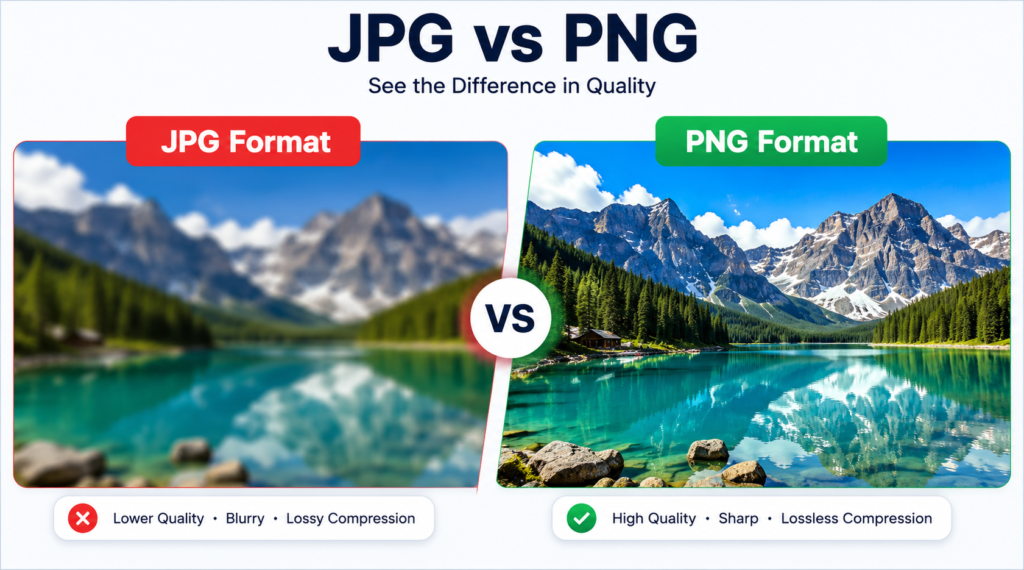
Main Benefits of JPG to PNG Conversion
1. Better Image Quality
PNG keeps image details sharp and clear without reducing quality.
2. Transparent Background Support
Transparent backgrounds show up in PNG pictures, helpful when working on emblems or visual projects.
3. Perfect for Editing
Pictures saved as PNGs keep their sharpness when edited later. These files hold up well inside programs that change images.
4. Ideal for Web Design
Icons show up sharp when site creators pick PNG files. Banners stay crisp across devices thanks to that format. Transparency works smoothly without jagged edges muddying the look.
5. No Compression Loss
PNG keeps every detail sharp because it shrinks files without tossing anything out, while JPG doesn’t work that way.
Convert JPG to PNG online free tool
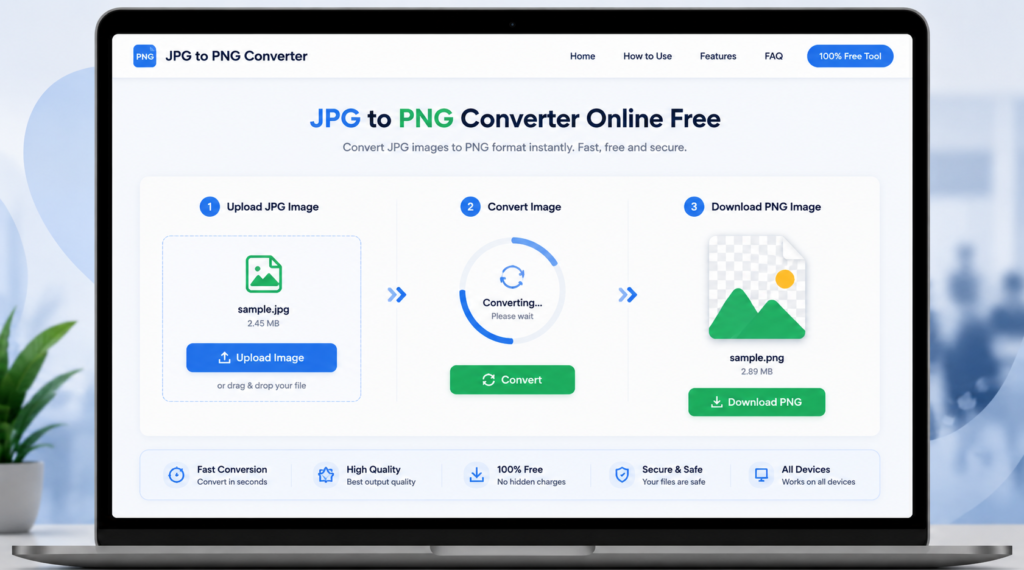
Start by opening a web tool that changes JPG files into PNG format. Next step – pick your image straight from the device storage. Once it uploads, the system begins adjusting the file type behind the scenes. Wait just a moment while conversion happens automatically. After completion, grab the new PNG version directly from the page. The finished result appears ready to save without extra actions.
Step 1: Upload JPG Image
Start by tapping the upload option, then pick a JPG from your device. After that choice, the system begins reading the image right away.
Step 2: Start Conversion
Press the “Convert” button to change JPG into PNG format.
Step 3: Download PNG File
Once the conversion is complete, download the converted PNG image instantly.
That’s it. No registration or software installation is needed.
Features of Our JPG to PNG Converter Online Free Tool
Fast Conversion Speed
Convert images within seconds.
100% Free Tool
Use the converter without paying any charges.
Easy to Use
Simple interface for beginners and professionals.
Secure and Safe
Your uploaded images remain private and secure.
Works on All Devices
Grab the tool through your phone or tablet, maybe even a laptop. Desktop computers work too, depending on setup. Sometimes it runs smoother one place than another.
JPG Versus PNG A Simple Comparison?
| Feature | JPG | PNG |
| File Size | Smaller | Larger |
| Image Quality | Medium | High |
| Transparency Support | No | Yes |
| Best For | Photos | Logos & Graphics |
| Compression | Lossy | Lossless |
For lighter files, go with JPG instead. When clarity and see-through backgrounds matter most, pick PNG every time.
People who need to change jpg images to png format?
This tool is useful for many users, including:
- Bloggers
- Graphic designers
- Students
- Web developers
- Social media creators
- Online business owners
Pictures looking sharp matter when shifting from JPG to PNG. Quality stays strong through the change, helping folks who rely on clear visuals. A switch like this supports better results without extra effort.
Tips for Best Image Conversion Results
- Use high-quality JPG images before conversion.
- Avoid converting already compressed low-quality images.
- Use PNG format for logos and graphics.
- PNG files load quicker when trimmed down. Smaller sizes mean pages appear sooner. A lean image helps speed things up. Streamlined graphics keep visitors waiting less. Lighter visuals support smooth browsing.
FAQs:
Converting JPG to PNG is typically free?
Free access? That’s right – no cost at all when using it online. The tool runs without charge, straight from your browser.
Changing JPG to PNG doesn’t make images clearer?
PNG keeps images crisp. Still, it can’t recover details already lost in a fuzzy JPG. Even when saved fresh, missing pieces from earlier compression remain gone.
Using the tool on a phone – is that possible?
For sure, it runs just fine whether you’re using an Android or an iPhone.
Is it safe to upload images?
Most trusted online converters keep your files secure and private.
What works best when you need see-through parts in an image?
For transparency, PNG works better than others. Still, it handles clarity without losing quality. Because of its design, edges stay sharp around see-through areas. Even when layered over changing backgrounds, detail remains clear. Usually chosen where lossless support matters most.
Conclusion
Sometimes switching a picture from JPG to PNG just works better. This online converter handles the change without cost, keeping colors sharp plus letting backgrounds disappear where needed. Websites often look sharper with these clear edges. Many designers also create branded graphics and connect them with our QR Code Generator Tool for marketing purposes. For blog pictures or posts on social apps, choosing PNG can make details stand out more than usual. Before uploading, many users also resize images using our Resize Image Online Tool for better website performance. Quality stays strong through the shift every time.
Start things off by picking an online tool that handles PNG files smoothly. Jump right into uploading your image – no experience needed. Once it loads, transformation happens almost instantly. Grab the converted result straight after. Speed comes standard here, at zero cost. Security stays strong throughout. Every gadget supports this process. Finish up by saving the file where you like.